Manage multiple branches with embedded terminals, live diffs, and smart autocomplete. All in one native macOS app.

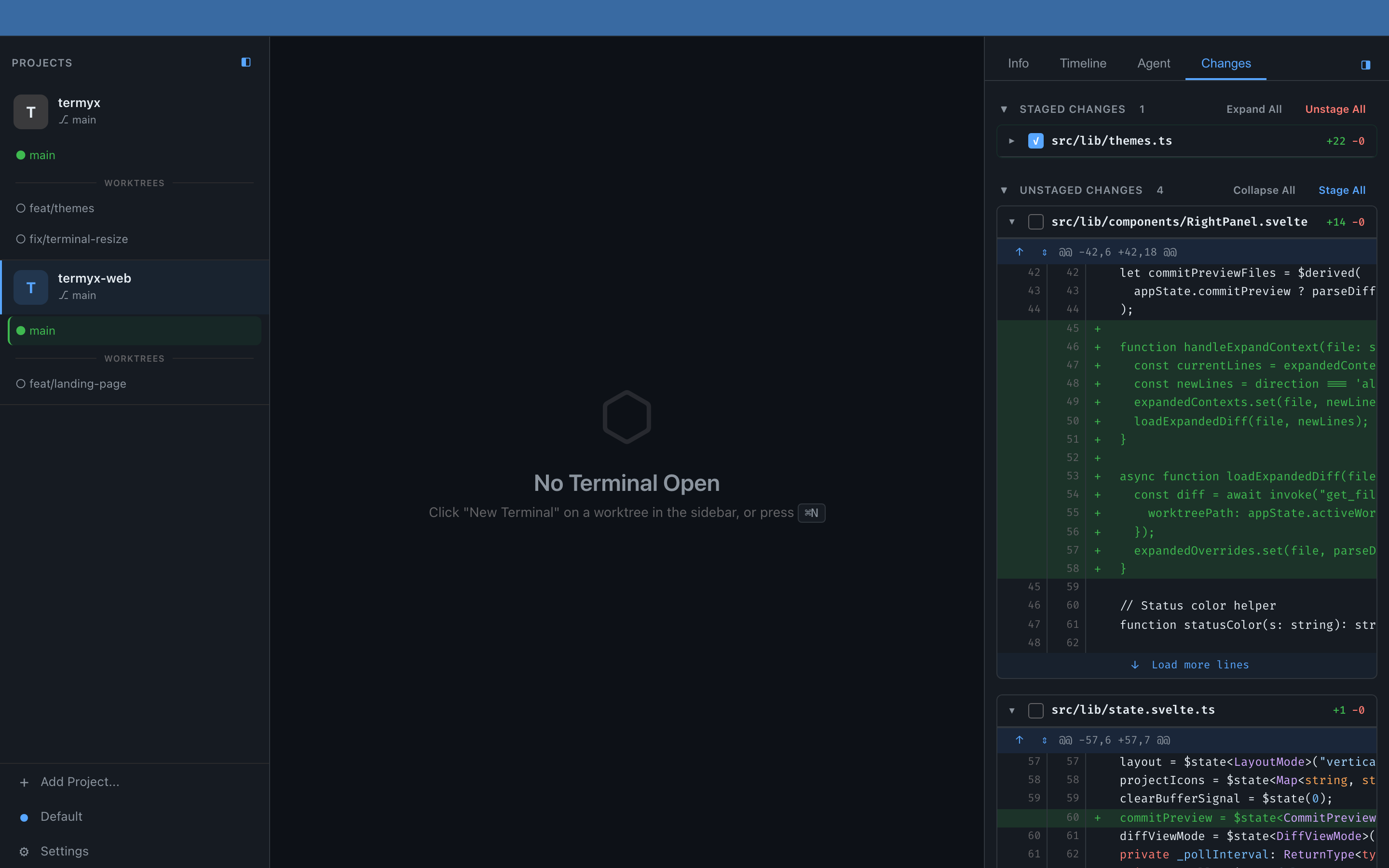
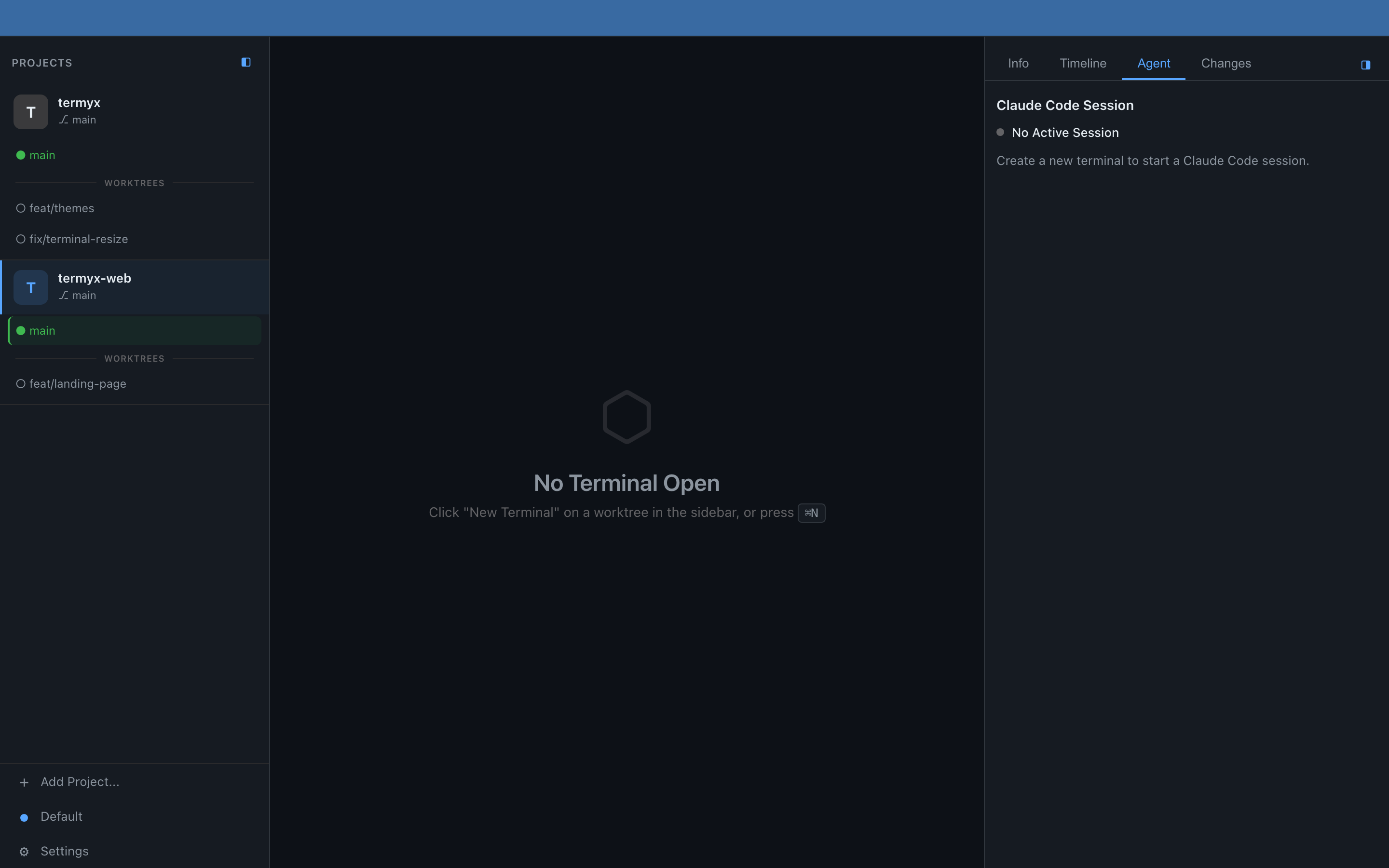
The Termyx workspace — sidebar, terminal, and changes panel in one window.
Termyx is a native macOS app that manages multiple git worktrees with embedded terminals. Purpose-built for developers running multiple Claude Code sessions across different branches simultaneously.
Add git projects via native macOS file picker. View all worktrees in a tree structure. Switch between worktrees instantly with Cmd+W fuzzy finder. Automatic persistence across sessions.
Each worktree gets its own independent set of terminals. Create with Cmd+N, switch with Cmd+1-9. Full color support, clickable links, and drag-and-drop tab reordering.
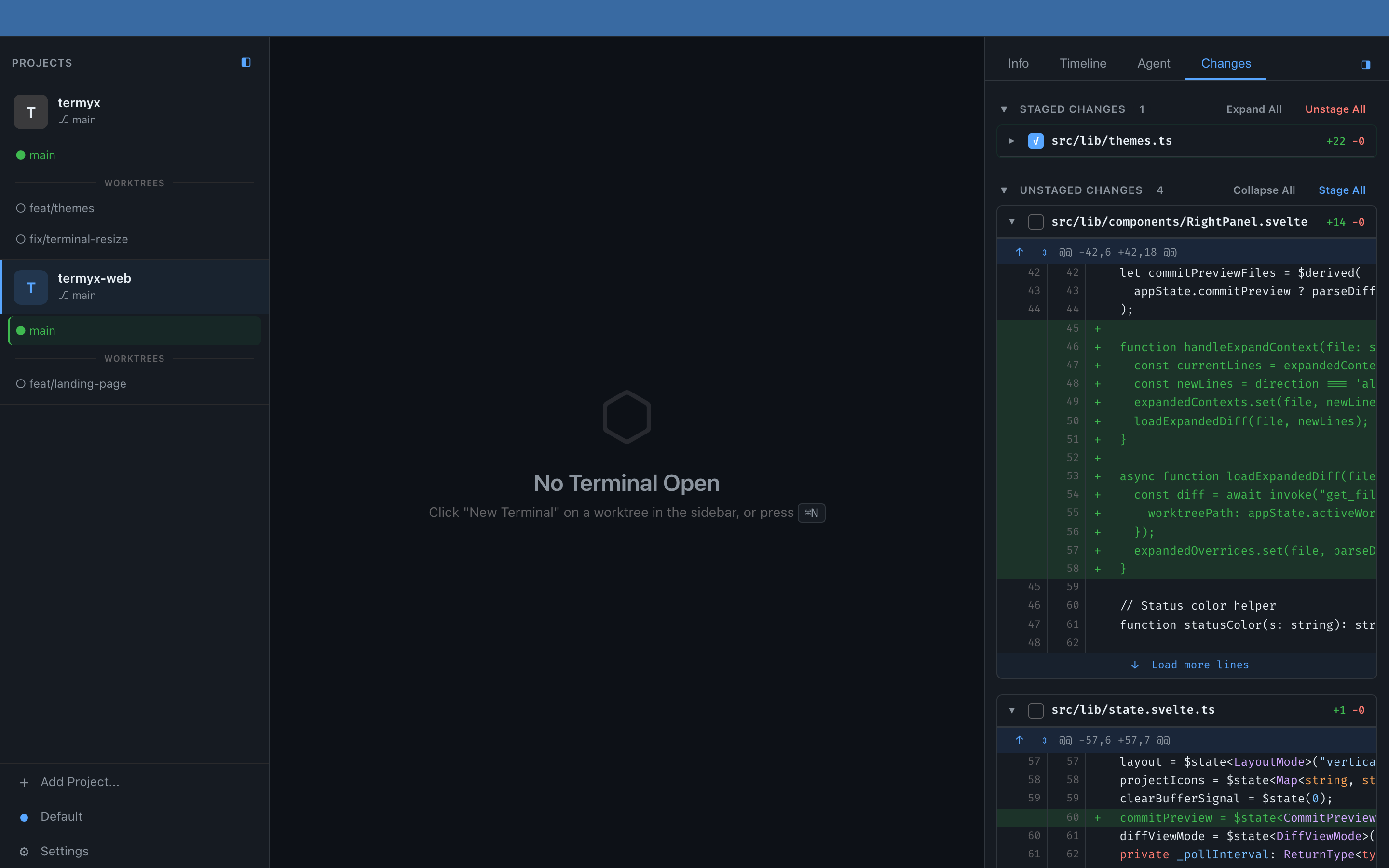
Diffs refresh every 2 seconds. Stage files with a checkbox. Expand context lines like GitHub. Preview images in diffs. All without running a single git command yourself.
Two-layer autocomplete with no AI required. Ghost text suggestions in 50ms, dropdown in 400ms. Pulls from shell history, file paths, and a 200+ command dictionary. Fully offline, private, and instant.
A complete development environment for multi-branch workflows.
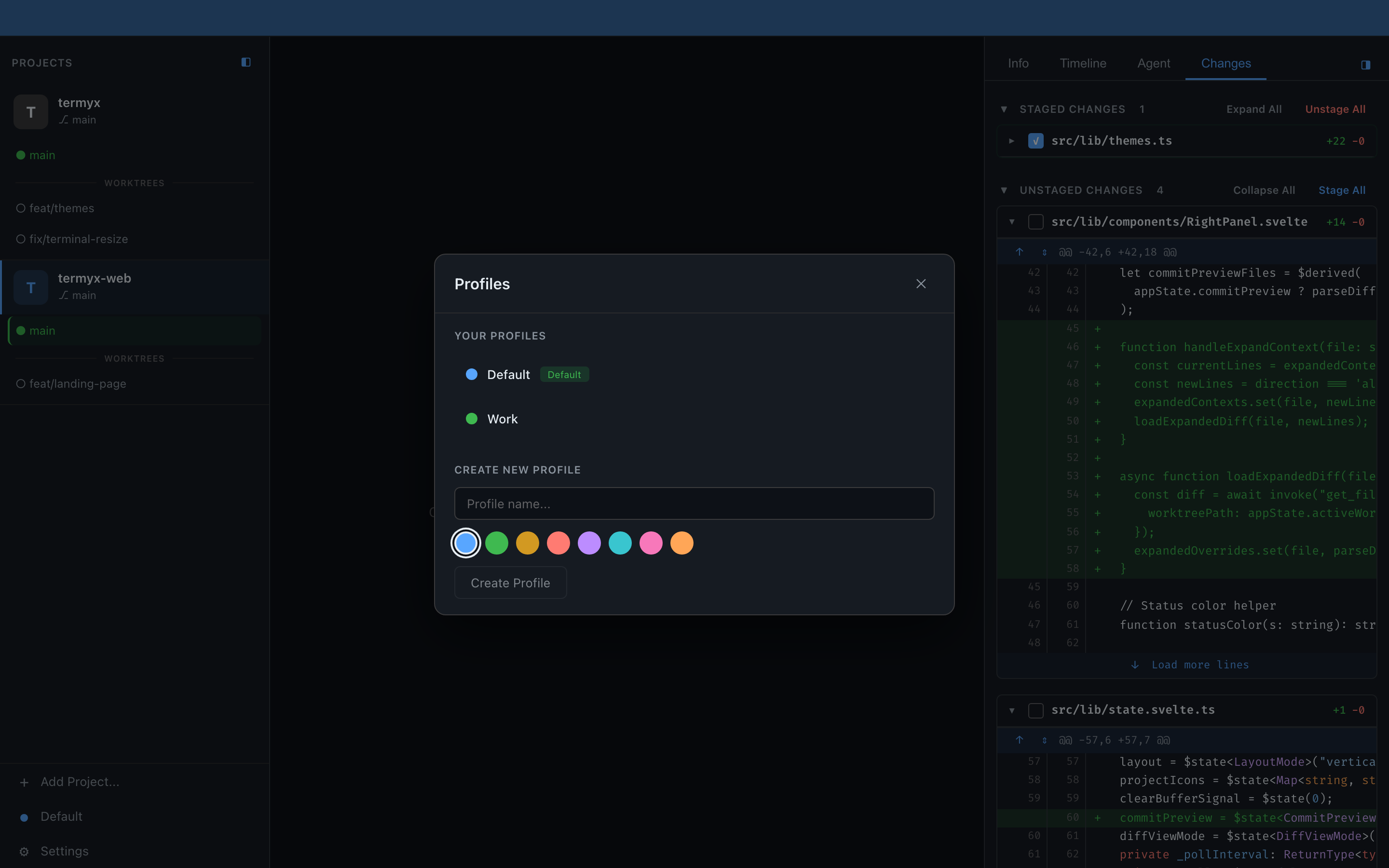
Create separate workspaces with custom names, colors, and themes. Switch instantly with Cmd+P. Open profiles in new windows.
Resizable sidebar, terminal, and detail panel. Vertical or horizontal. Collapse with one click.
Cryptographically signed updates via GitHub releases. Install without closing the app.
12+ shortcuts. Cmd+W for worktrees, Cmd+N for terminals, Cmd+1-9 to jump between them.
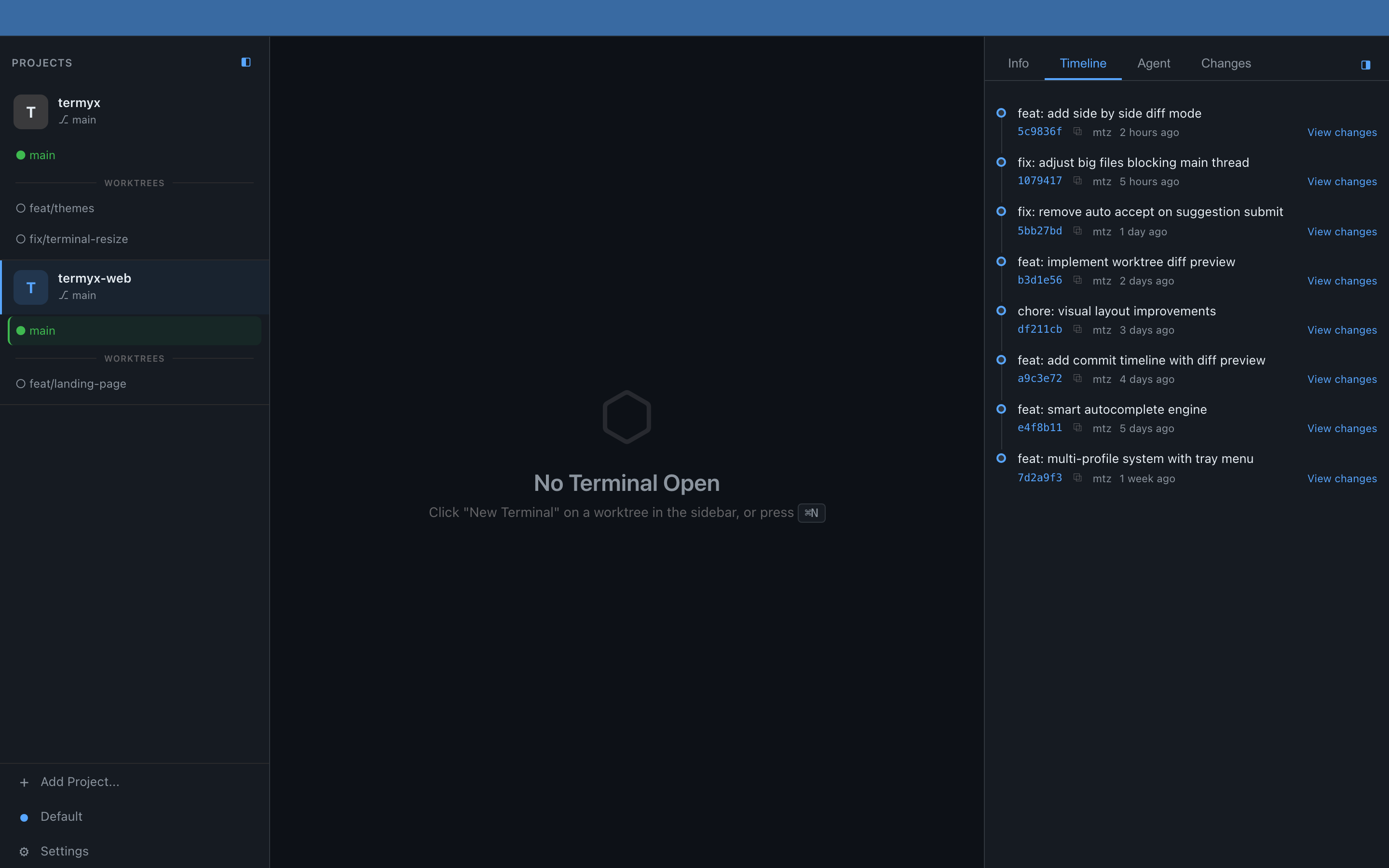
Full commit history with hashes, authors, and timestamps. Track every change at a glance.
Drag files from Finder to terminal — paths paste automatically. Works with native macOS pasteboard.
Auto-detects icons from 50+ paths. React, Vue, Svelte, Next.js, Flutter, and more.
Track Claude Code session status per worktree. See what each agent is working on in real time.
Real screenshots from the app. What you see is what you get.

Staged and unstaged diffs update automatically. Stage or unstage files with a checkbox. Expand context lines just like on GitHub.

Full commit history at a glance. Click any commit to preview its diff. Copy hashes with one click.

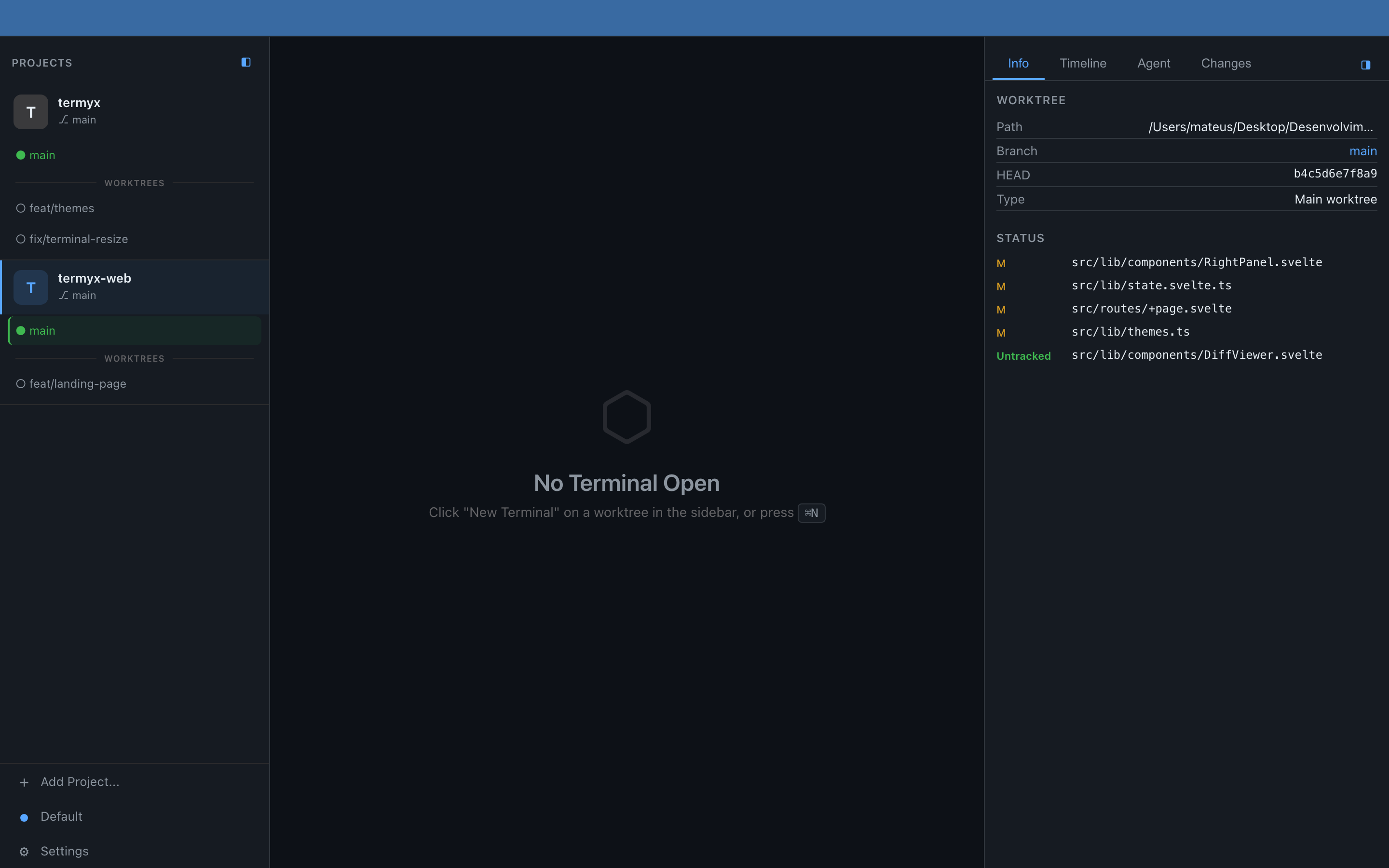
Current branch, commit hash, modified files, and worktree path — all visible without running a single command.

Create multiple workspaces, each with its own color, projects, and theme. Open profiles in separate windows.
From OLED Black to Rose Pine Dawn. Dark or light. Pick a different theme for each profile. Live preview as you browse.
Download the DMG, open a git project, and supercharge your Claude Code workflow.